Arcade Whale OriginalMade in-house, free to play
Tailwag Merge
AI-assisted artwork
- Developer
- Arcade Whale
- Genre
- Puzzle
- Rating
- Plays
- Released
- Updated
- Platforms
- Browser (desktop, mobile, tablet)
- Orientation
- Portrait or landscape
- Players
- Single player
How to play
Tap a crate for an item · drag two alike together to merge · tap a pet to hand over what it wants · fix button spends paws on repairs · P pause
About Tailwag Merge
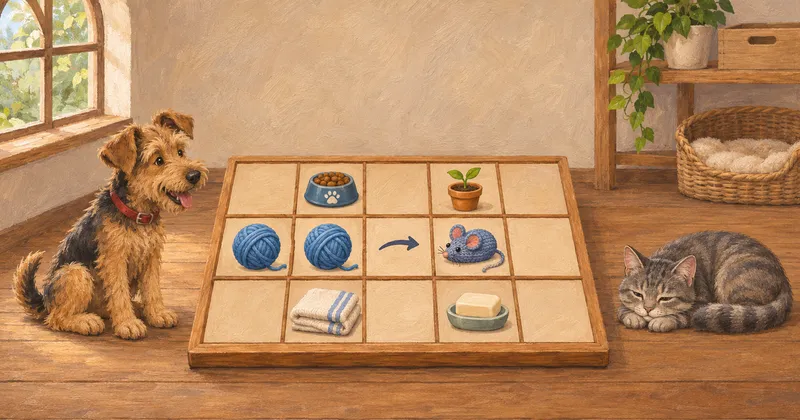
Tailwag Merge is a free merge game you can play in your browser with no download. It takes place in a small animal shelter that has seen better days. The pets waiting for a family come in one at a time and line up at the front counter beside the board, four at most, each with a little speech bubble that shows what it needs right now: a bowl of kibble, a ball of yarn, a cushion. You make those things yourself. Tap a supply crate and it drops a level-one item next to it; drag two identical items together and they merge into the next level, so kibble fills a bowl, and a scrap of yarn winds into a ball that ends up as a knitted mouse. Donation boxes fill the board around you and you can see what is in each one. A box opens only when you drop its twin on it: the two merge and the better item is yours.
When a pet can have something on your board, the item gets a green tick and the pet offers to take it: tap the pet to hand it over, or drag the item across yourself. Some pets want one gift, others two or three, shown as dots under the bubble, and they come in a sensible order: a meal, then a game, then a nap. Dogs and cats eat from the food sack, bunnies and birds eat what you grow. When the last gift arrives a family adopts the pet. A photo card shows who went home, the pet gets a page in your adoption album and you collect paws. Crates run low after a while and refill on their own, and when the board gets crowded you can park up to four items in the storage slots or sell one in the bin for a few paws. Two matching crates merge into a bigger one that sometimes drops a level two item. Tap anything on the board to see its name, what it makes and the whole chain it belongs to.
After your first few adoptions the repair list opens. Spend paws to fix the next thing in the room, a new rug, a window, string lights, and the walls get brighter with every job. When a room is done the next one opens with a new supply crate and new pets: Kennel Row, where sleepy pets doze off at the counter until they get a bed, the Garden Room with bunnies, birds and carriers that open only for their twin, the Bath Corner with muddy pets that need a wash first, the Clinic, the Hamster Den, where curious hamsters carry items around, and the Big Yard, with tortoises in no hurry at all. Every repair brings a few more boxes from the neighbours. Stormy nights, a basket of puppies, an Adoption Day with double paws and a lost dog looking for his family turn up along the way.
Your board, paws, rooms and adoption album are saved in your browser, so the shelter is waiting for you exactly as you left it. A daily reward adds paws when you come back.
Tailwag Merge tips & strategy
Read the bubbles first
Before you merge, look at what the pets at the counter want. Building the exact level they ask for is faster than merging everything as high as it goes.
Pick your box
You can see what each box holds, and only its twin opens it. Build the twin of the box you want most, and look for spare crates first.
Storage first, then the bin
Park an item you will need later in a storage slot. The bin pays paws, but a higher-level gift takes a lot of merges to rebuild.
Merge your crates
Two matching crates make a bigger one that sometimes drops level two items and frees a tile on the board, so a spare crate is worth keeping.
Frequently asked questions
How do I play Tailwag Merge?
Tap a supply crate to get an item, drag two identical items together to merge them into a better one, and tap the pet whose bubble shows it, or drag the item onto the pet. Pets that get all their gifts are adopted and leave paws behind.
What are paws for?
Paws pay for shelter repairs. After a few adoptions the fix button appears; each repair changes the room, and finishing a room opens the next one with new pets and a new supply crate.
What do I do when the board is full?
Merge pairs to free tiles, give items to pets, or drag spare items into the four storage slots next to the board. Items you do not need can go in the bin, which pays paws for them. Tap an item and the Sell button does the same.
How do the boxes work?
Each box shows what is inside. Drop an identical item on it and the two merge, the box opens and the better item is yours. Nothing else opens a box, so a merge next to it leaves it shut. New boxes arrive with every repair and every new room.
Why will a pet not take its gift?
Some pets need care first. A napping pet wants a bed, a muddy one needs a wash and a sick one needs the vet bag. The bubble always shows what it wants right now.
What is the adoption album?
Every pet that finds a home gets a photo in the album. Open it from the book button to see who you have rehomed and which pets you have not met yet.
Is my progress saved?
Yes. Your board, paws, rooms and album are saved in your browser on this device.
Is Tailwag Merge like Merge Mansion?
Partly. Both are merge games: you tap crates for level-one items and drag two identical ones together to make the next level. It is our own game, not the official Merge Mansion. Here the items fill orders for pets waiting at an animal shelter counter, and when a pet has all its gifts a family adopts it. Paws then pay for repairs that open the next room.